

Make sure that your callback URLs use the secure HTTPS protocol, use domain names (not IP addresses) and are considered clean by VirusTotal and similar scanners.
- status
- currency
- amount
- blockchain transaction’s hash
- address
- fees
- number of confirmations
- foreign id
A note about deposit callback statuses
For deposits, our system supports instant confirmations. This means that some deposits will be confirmed in our system without confirmation in the blockchain. In such a case, the system will immediately send you a callback with theconfirmed status. Confirming the transaction, we are ready to manage all the risks associated with accepting real funds later. You should not be concerned about this.
In other cases, you will first receive a callback with the not_confirmed status. This will mean that we have found a transaction in the mempool but we are not ready to guarantee that it will be completed. When this happens, you can create a transaction on your side, but assign it the pending status. After that, you should wait for the second callback, where the value of the status parameter will be confirmed.
Validating callbacks
To provide authentication for the callback, AlphaPo signs the POST request with your API key and secret key:X-Processing-Key— Your public keyX-Processing-Signature— The POST request body signed by your secret key using the HMAC-SHA512 hash function
Callback details in your merchant dashboard
To view callback details, such as when it was created, the last attempt time, the number of attempts, and the request body, follow these steps:- Go to the Transactions tab in your merchant dashboard.
- Find the relevant transaction and open it.
- Then, in the sidebar, switch to the Callback tab, as shown in the screenshot:
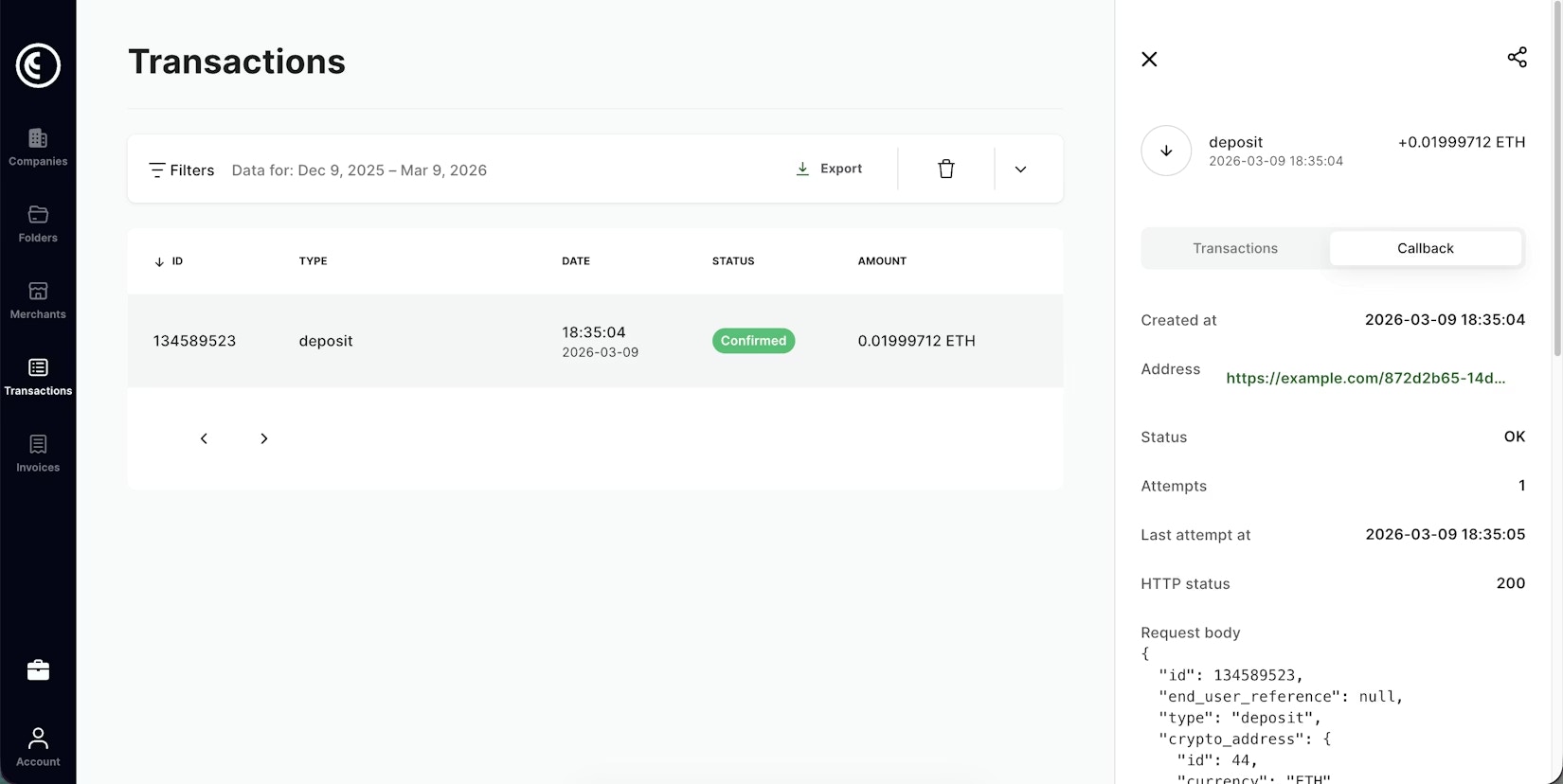
If you have technical issues with your callback handler or a long maintenance period, you can resend the callback by scrolling to the bottom of the sidebar and clicking Repeat Callback.
Foreign IDs and distinguishing callbacks
There is a difference between callbacks for deposits and withdrawals. In the case of deposits, if a user makes all deposits to the same address, you will receive the same values of theforeign_id and address parameters each time. The address parameter will show you which address received funds from the user. This is the address from our system.
In the case of withdrawals, you will receive different values of the foreign_id and address parameters in each callback. In this case, the address parameter will show you the user’s address to which we sent funds.
When a user sends you the same amount to the same address, you will receive very similar callbacks. To understand whether you see several callbacks for the same transaction, or there was more than one transaction, you can use the
id parameter from the root element in the callback JSON. This parameter is unique for all transactions from our side.