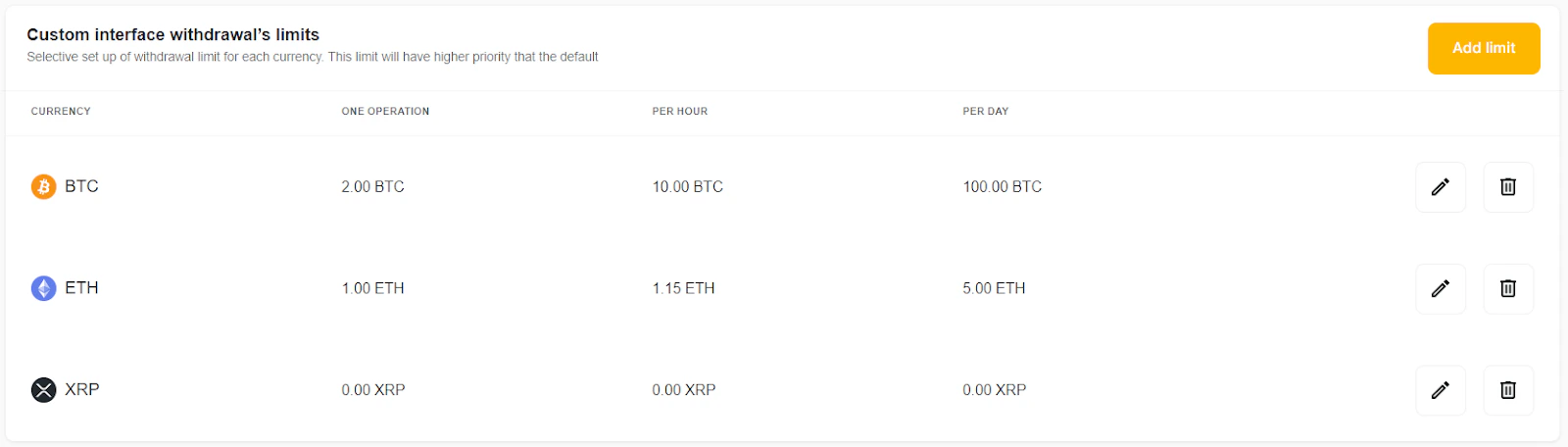
In order to control and secure your funds, we have added the ability to configure withdrawal limits, which can be created both via the API and the interface. With this functionality, you can set up a default limit and specify a custom limit for a specific currency. Withdrawals that exceed the limit will obtain the Pending status. All users whose email addresses are specified in the settings will receive email notifications with a link to the transactions list with Pending status. If they approve the transaction, it gets the Processing status, and AlphaPo keeps working with it as usual. If they decline the transaction, it gets the Declined status instead. Setting limits on withdrawals and confirmation of withdrawals exceeding the limit are available only to users with “Owner” permissions within the merchant account. To set up withdrawal limits, you need to go to the Settings → Withdrawal limit. In this tab, select which withdrawals you are going to limit: created via API or the interface.Documentation Index
Fetch the complete documentation index at: https://docs.alphapo.net/llms.txt
Use this file to discover all available pages before exploring further.
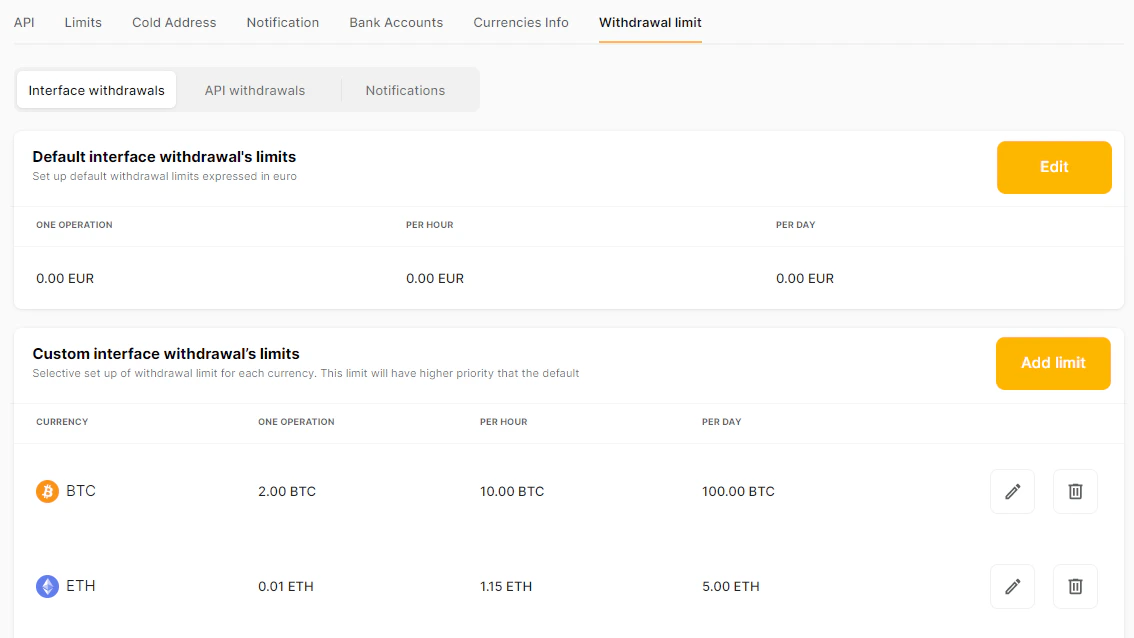
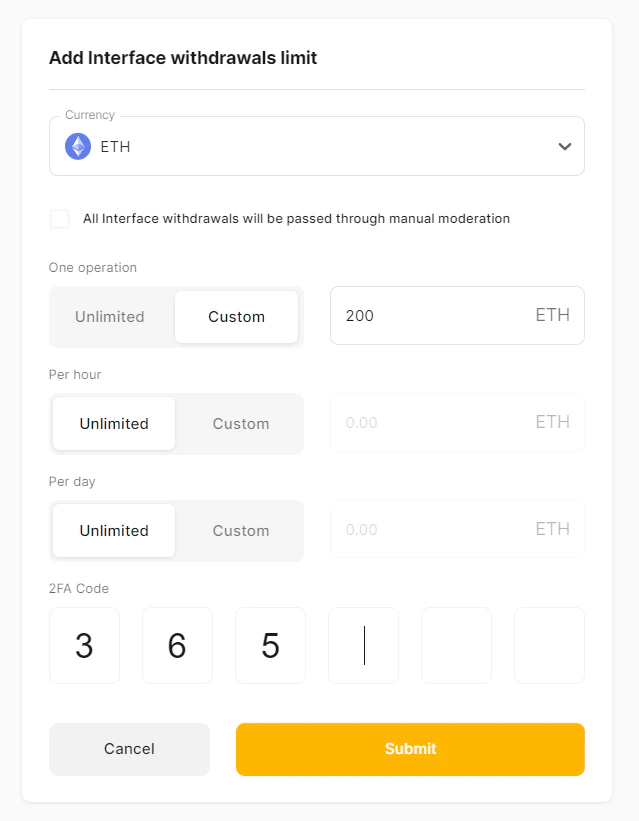
- Limit for one operation;
- Limit on transactions per hour;
- Limit on transactions per day.
Default interface withdrawal limits
You can change the default withdrawal limits on this tab. All default limits are set in EUR equivalents. This setting will be applied to all withdrawals via the interface.
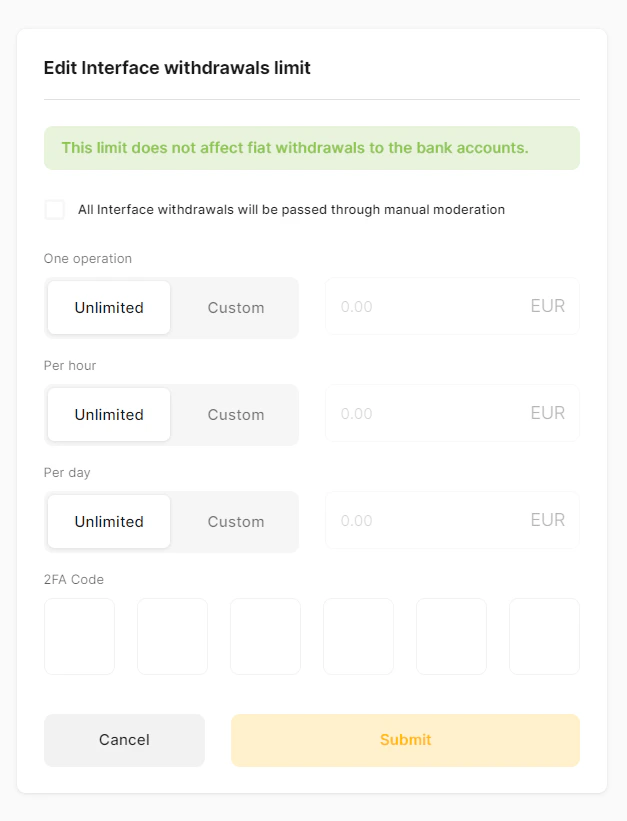
- select the option “All interface withdrawals will be passed through manual moderation”(all interface withdrawals are manually moderated);
- for each type of operation (one operation, per hour, per day):
- leave Unlimited value (all interface withdrawals for the type of operation are unlimited);
- select Custom and add a value (all interface withdrawals for the type of operation with a value higher than this one are manually moderated).
Custom withdrawal limits
To set a limit for any specific currency, go to the “Custom interface/API withdrawal limits” section.