AlphaPo home page
Search documentation...
⌘K
Dashboard
Dashboard
Search...
Navigation
Getting started
Set up notifications
Guides
API reference
Supported currencies
Supported trading pairs
Introduction
Choose your flow
Integration guide
Before you start making API requests
Get your API key
Receive crypto deposits
Design a crypto payment form
Make withdrawals
Make exchanges
Get callbacks
Create invoices
Getting started
Introduction
Create and manage addresses
Manage user permissions
Set up limits and cold addresses
Manage your balance
Set up notifications
Send mass payouts
Track transactions and fees
Change withdrawal limits
Try out the API
Reference
Confirmations and limits
BTC deposit fee
About network fees
FAQ
close
On this page
Set up notifications
Getting started
Set up notifications
Copy page
Copy page
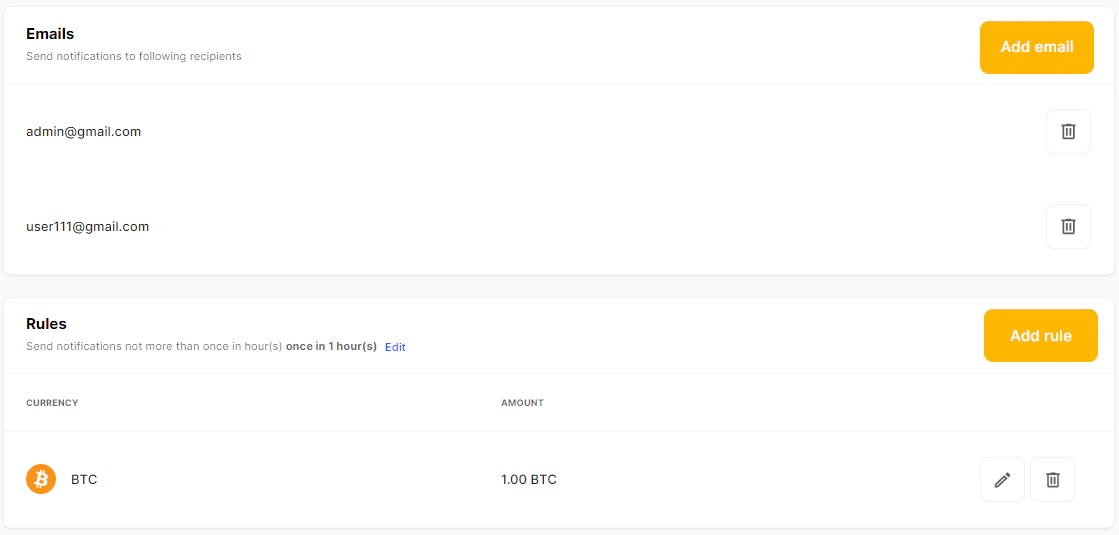
On the Notifications tab, you can set up notifications to make managing your balance easier.
Set up notifications
To receive notifications, you need to add at least one notification email address.
1
In your merchant account, click
Settings
on the navigation panel.
2
Click
Notifications
.
3
Click
Add rule
.
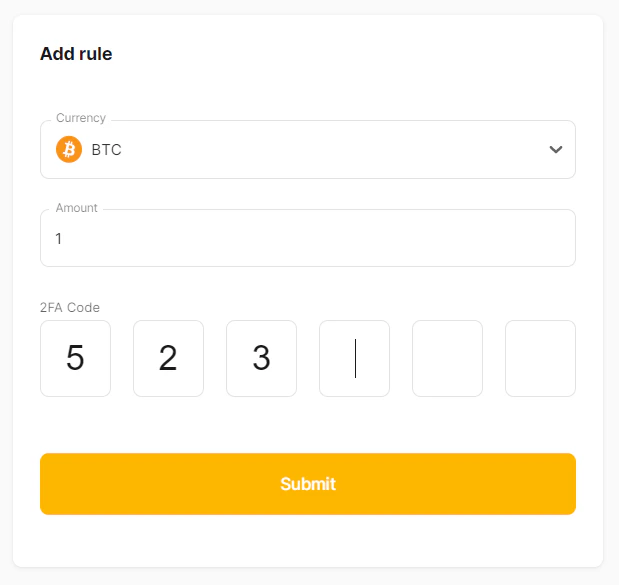
4
In the pop-up window, enter the target amount you want to be notified about. Enter your 2FA code and click
Submit
.
Was this page helpful?
Yes
No
Manage your balance
Previous
Send mass payouts
Next
⌘I