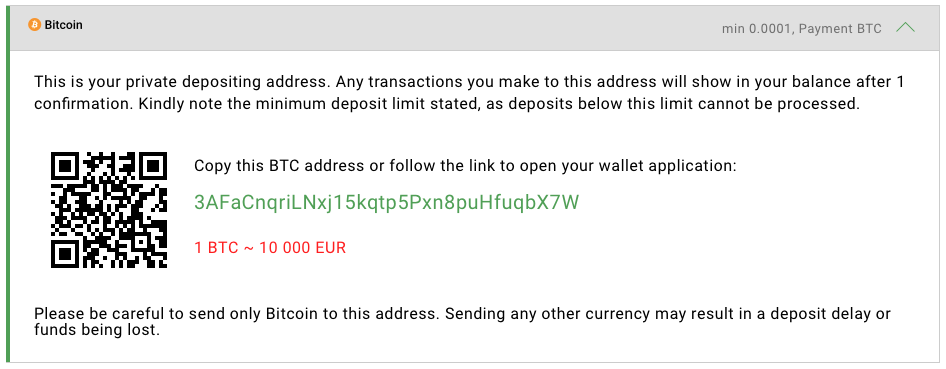
- Quick access from mobile devices
- Predefined cryptocurrency
- An integrated clickable link that opens the wallet application
- Predefined amounts
- Inline comments with the payment description
Add wallet address links
To make it easier for your customers to make deposits, use crypto address links. For example,bitcoin:3AFaCnqriLNxj15kqtp5Pxn8puHfuqbX7W.
If the customer has a wallet application on their device and follows this link, wallet application will open with the specified address. In this case the user should make only one action to click a “Pay” button in order to proceed with the payment.
BTC URI supports not only the address but also other options, for example, a payment amount.
BTC URI has a special standard “BIP-0021” described here:https://github.com/bitcoin/bips/blob/master/bip-0021.mediawiki
“Please make a deposit using the following BTC address: 3AFaCnqriLNxj15kqtp5Pxn8puHfuqbX7W”
- Copy this address to the clipboard
- Find and open their crypto wallet application
- Open the Withdraw section
- Paste the crypto address
- Click Send to transfer their funds.
The more actions a user has to make the more probable it is that they will not pay. That is why the crypto address has to be presented at least as a clickable link using a specific URI format.
Add a wallet QR code
A QR code (Quick Response code) is a special visual method of data encoding and transferring that is usually used for simple and fast semi-automatic interaction with users’ mobile devices. It can contain any text data, including URL links. When the user uses their phone to scan the QR code, the data inside the QR code will be decoded. If it is a link associated with a special application, the user’s smartphone will react in a predefined way. For example, it can suggest to the user to follow the URL using a web browser or to send the funds using their crypto wallet application.Why should I use QR codes on my payment form?
As it was described above, the user has to follow the 5 steps in order to make a deposit if they use a web browser and a crypto wallet on the same device. That is why the address should be presented as a link instead of a text string. But imagine now that a user gets to a page with the payment form using their laptop and their crypto wallet application is installed on the user’s smartphone.How to create a QR code
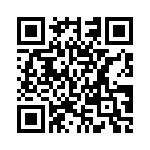
In order to provide the best user experience you only need to encode into the QR code a simple URI with the crypto address inside. The simplest way to create the QR code is via an API of a specialized online service, such as goQR.me/api. According to the API request parameters, the QR code will contain the required data and have a certain size. The parameters include:- data — data to be encoded in your QR code (e.g.
bitcoin:3AFaCnqriLNxj15kqtp5Pxn8puHfuqbX7W) - size — chart image size (e.g.
150x150)
Detailed description can be found here: https://goqr.me/api/doc/create-qr-code/
<img> tag:
Best practice as a result
This article described how to increase the conversion rate and as a result total turnover of the payment form for two scenarios. To be sure that the users will have a good experience in both cases all you need is to combine these two methods and use them on the payment form at the same time. The last step is to make the QR code clickable.- clickable QR code
- crypto address as a link
- current or approximate exchange rate
- minimal deposit limit
- warning about the cryptocurrency that should be used with the specified address