

- Invoice without restriction of payment time. The customer chooses a currency of payment themselves without time restriction. Rate will be fixed when the user confirms payment currency.
- Invoice with time restriction. The customer chooses a currency of payment themselves, but the time restriction will be 15 minutes starting from invoice creation.
- Invoice with time restriction and without a possibility to choose payment currency. The customer sees the amount and payment currency that they need to pay.
foreign_id. The foreign_id value must be a unique identifier of the invoice, i.e., each call of this API method must use a different foreign_id. It will be included in the response and in all the callbacks for the invoice.
Invoice statuses
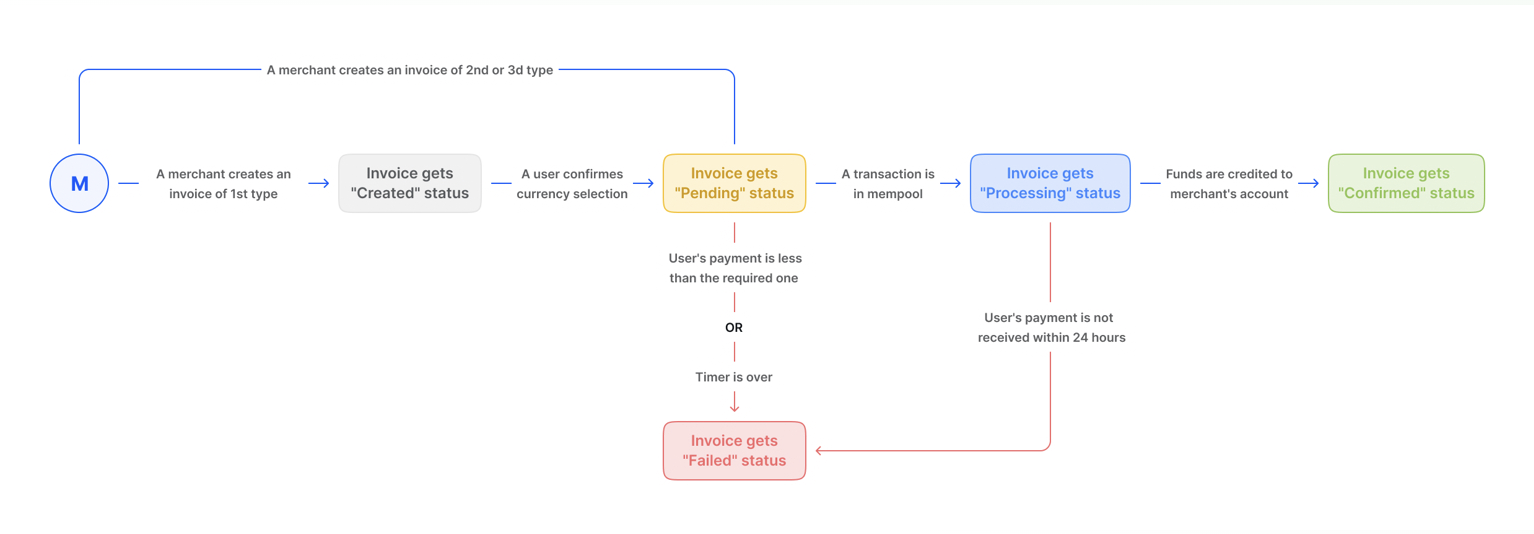
Invoice types
Invoice without a timer
Your customers can choose which cryptocurrency they want to pay in. The currency they choose will be automatically converted to your preferred currency. Once the customer confirms their choice of currency, the exchange will be fixed. Once the customer follows the link you send them, they will see the invoice details and will be asked to choose their payment currency.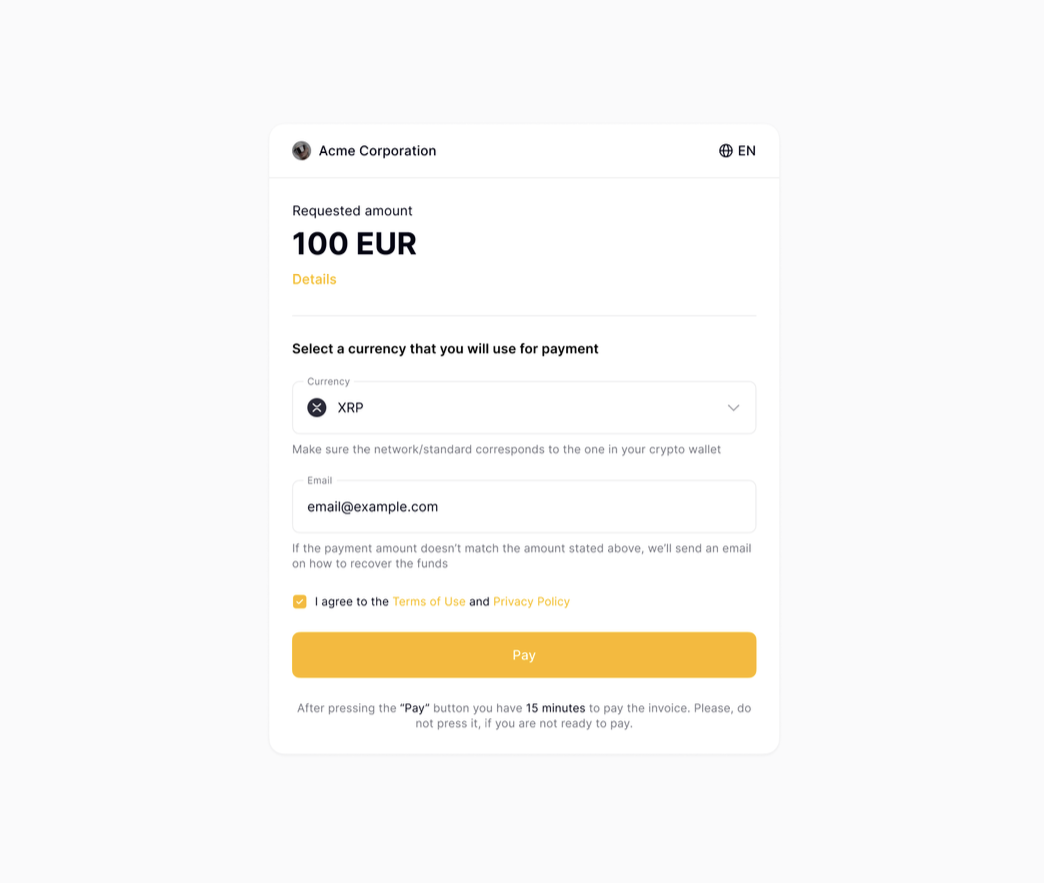
Invoice with a timer
This invoice type allows the customer to choose the payment currency themselves, but the time restriction will be 15 minutes starting from the invoice creation. By following the link the customer will see the information about the invoice, timer and will also be able to choose the payment currency. The rate will be fixed after the invoice creation.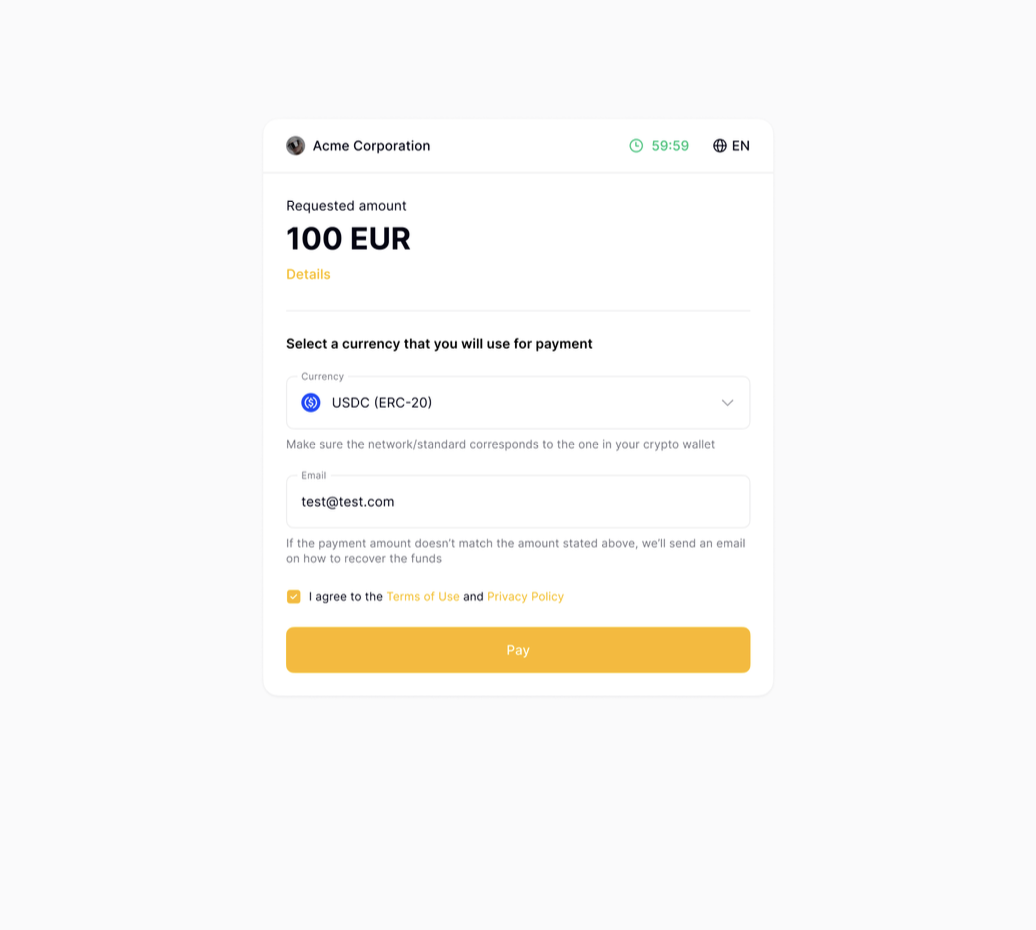
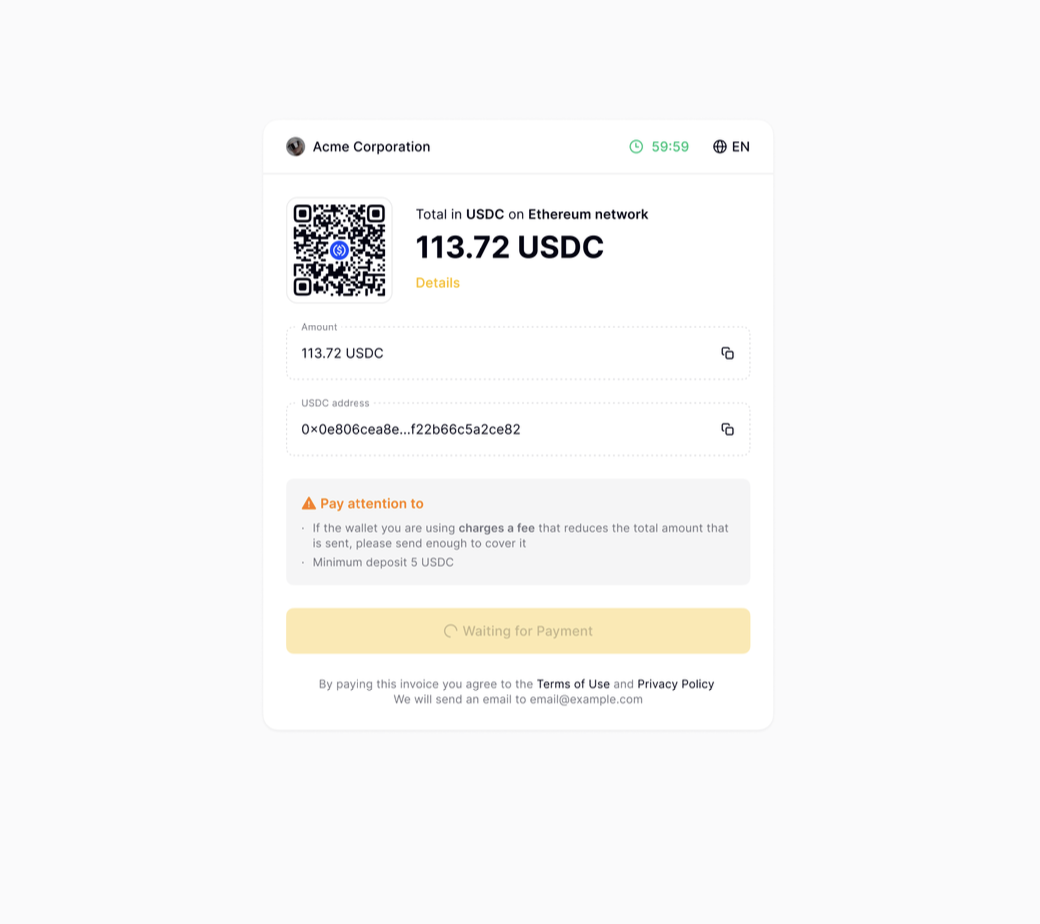
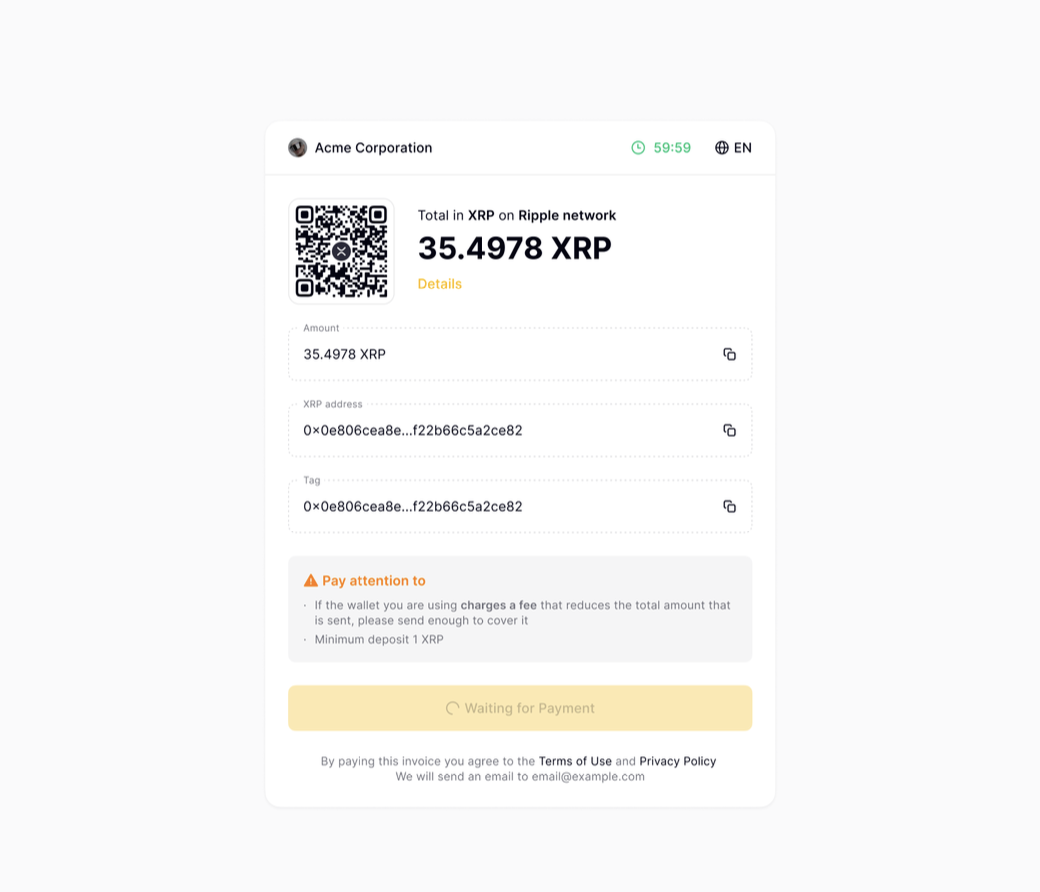
Invoice with a timer and a pre-selected currency
This invoice type allows the user to pay the invoice themselves in a definite currency with a time restriction for 15 minutes starting from invoice creation. By following the link the user will see the information about the invoice, 15 minutes timer and the payment currency. The user has to pay the invoice using the specified address before the expiry of the timer. Here you can see an example of a callback for each type of invoice.Invoice failed
Invoice fails upon the occurrence of any of the following:- 15 minutes timer expiration.
- Transaction has processing status for more than 24 hours.
- The customer paid an amount less than was requested. In this case the transaction will have a confirmed status but invoice will have a failed status.
- If the customer’s transaction was flagged by compliance, the 15-minute timer will likely run out by the time all checks are completed. The invoice will be failed automatically, and your customer will receive an email with a link to claim a full refund. This only applies to invoices that are still at the processing or pending stage.
Cancel an invoice
To cancel invoices, use the /api/v2/invoices/foreign_id/cancel/ endpoint. You can only cancel invoices while they are still at the created, pending or processing stage. Invoices that have the confirmed or failed statuses cannot be cancelled. When you cancel an invoice:- The invoice status will be changed to failed.
- You’ll get a callback with the ‘Cancelled by customer’ error message.
- Your customer will receive an email with a link to claim a full refund.