

1
Complete your onboarding
Configure your account and get an API key, see Initial setup.
2
Create a payment request
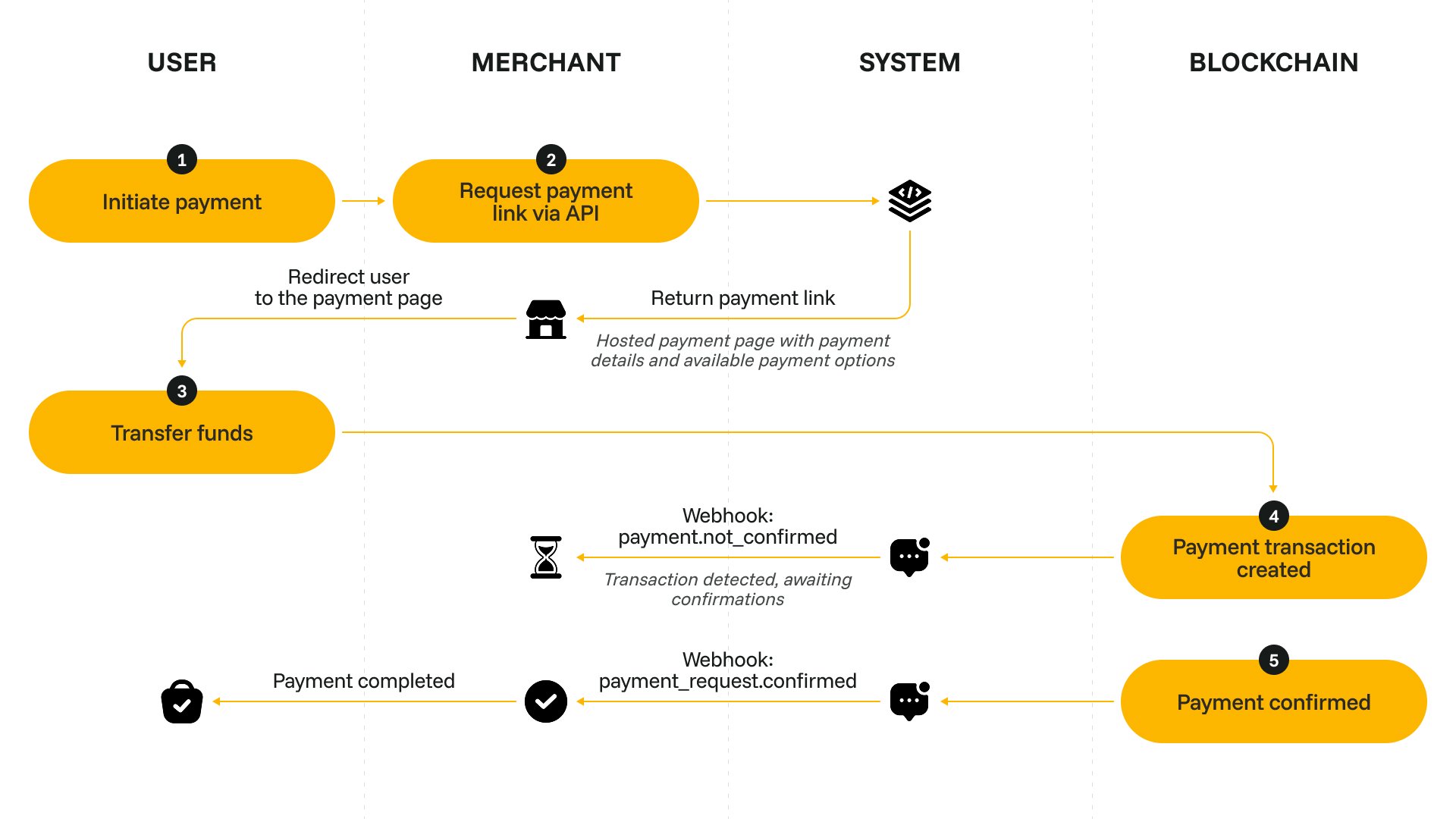
When the customer wants to make a new purchase, send a request to /payments/v1/requests. Specify the required amount, currency and lifespan for the payment request.
Request example
Response example
3
Let the customer navigate to the payment request interface
The URL of the interface is provided in the data.payment_link field of the API response. Depending on your payment flow, you can:
- navigate the customer to the payment request link in a new tab,
- generate a QR code based on the payment request link and display it to your customer,
- embed the payment link as an iFrame for quick on-page checkout.
4
Process the callback
When you get the payment_request callback, update the purchase status on your site.Make sure to cover all possible statuses of the callback. For a failed payment request, consider showing a ‘Retry’ button that initiates a purchase of the same product again.