

Key characteristics of Lightning payments
Bitcoin Lightning deposits use Lightning invoices instead of standard BTC wallet addresses. A Lightning invoice is a payment request that contains the amount to pay and the details needed to complete the transaction. Example Lightning invoice:- Each invoice is created for a specific amount and can only be paid once.
- The invoice contains the exact payment amount, so it must be paid in full and exactly as issued. Partial payments and overpayments are not possible.
- The invoice expires 15 minutes after it is created. The exact expiration time is included in the API response when the Lightning invoice is generated.
- The amount cannot be changed after the invoice is created.
- The maximum supported amount is 0.045 BTCLN. For larger deposits, use the Bitcoin network.
How the payment form can be implemented
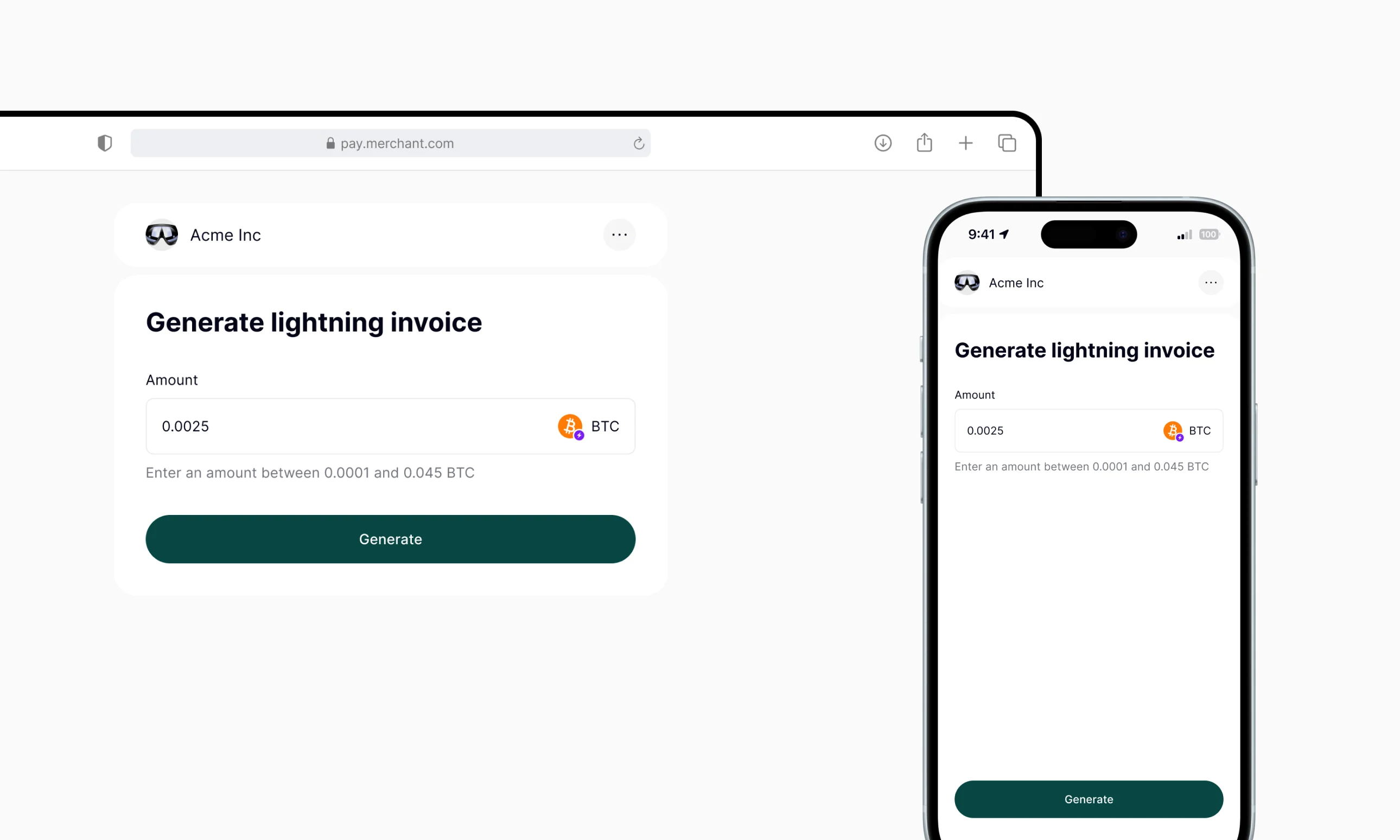
Send POST /addresses/take to AlphaPo
After the user enters an amount and clicks Generate, your site should send a POST request to the /addresses/take endpoint.
Show the Lightning invoice to the user
Generate a QR code for the user to scan, or provide an Open wallet button: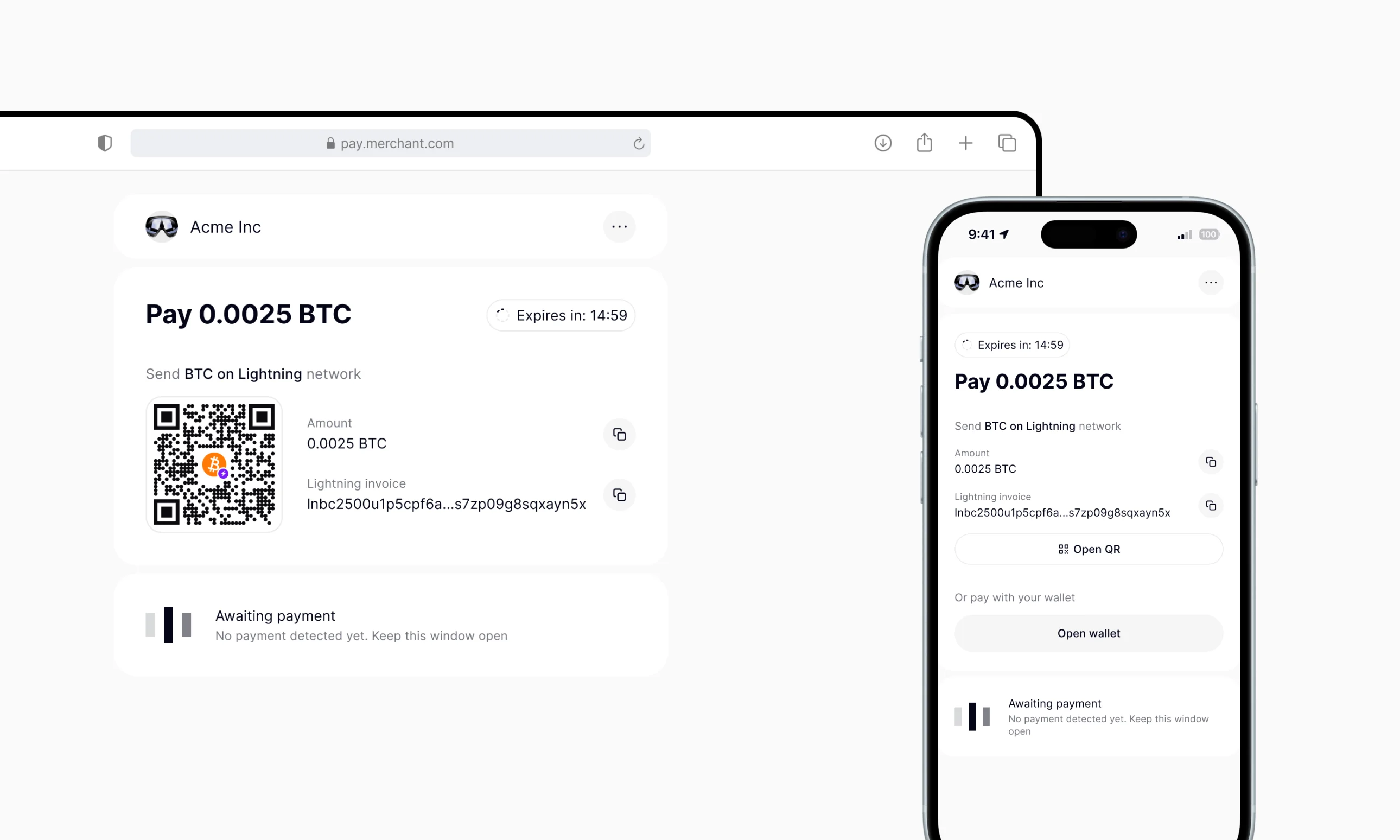
Payment successful
Wait for a deposit callback from AlphaPo where 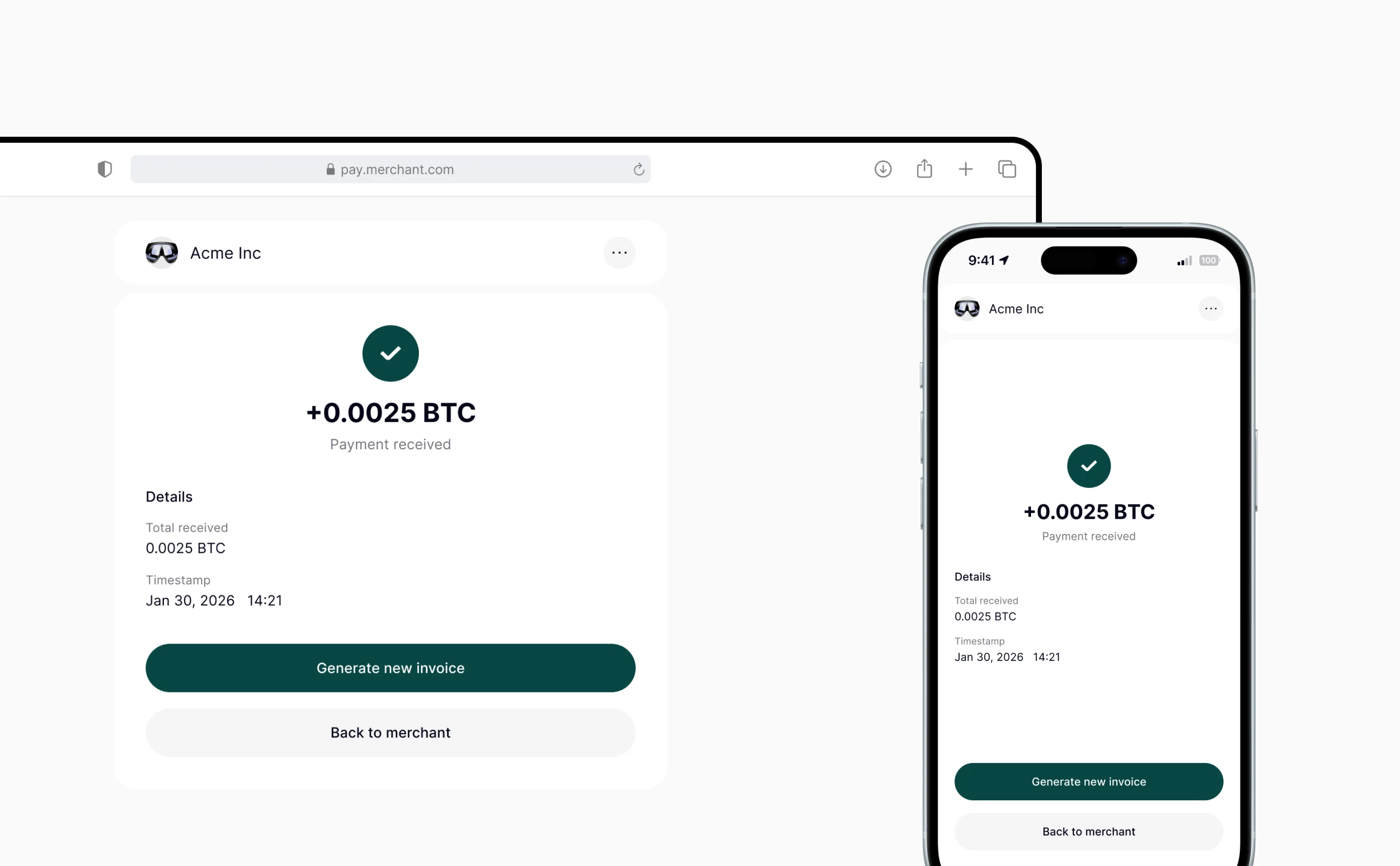
status is confirmed, then show a deposit confirmation message.Adding an Open wallet button on mobile
To let users pay Lightning invoices on mobile, you can add an Open wallet button with a Lightning deeplink. When the user taps the button, a compatible Lightning wallet opens with the payment details pre-filled. Lightning deeplink example:- The customer taps the link on their mobile device.
- Your site opens the
lightning:lnbc...deeplink. - If the customer has a compatible wallet site installed, it opens with the invoice ready to pay.
- If no compatible wallet is installed, the deeplink does not open and the customer may see an error such as No Lightning wallet is installed on your device.
Additional details
- Bitcoin withdrawals using the Lightning Network are not supported. To withdraw funds, first exchange BTCLN to BTC or another supported currency. Exchanges between BTCLN and BTC are always at a 1:1 rate with no fees.
-
You can also convert BTCLN to any supported currency and withdraw in a single step by using the /withdrawal/crypto endpoint with the
convert_toparameter set to the target currency. - For more details about the /addresses/take endpoint, refer to Generate a crypto address.